A free website builder for small business can transform your company's online presence without breaking the bank. Here are the key features to look for in top free options:
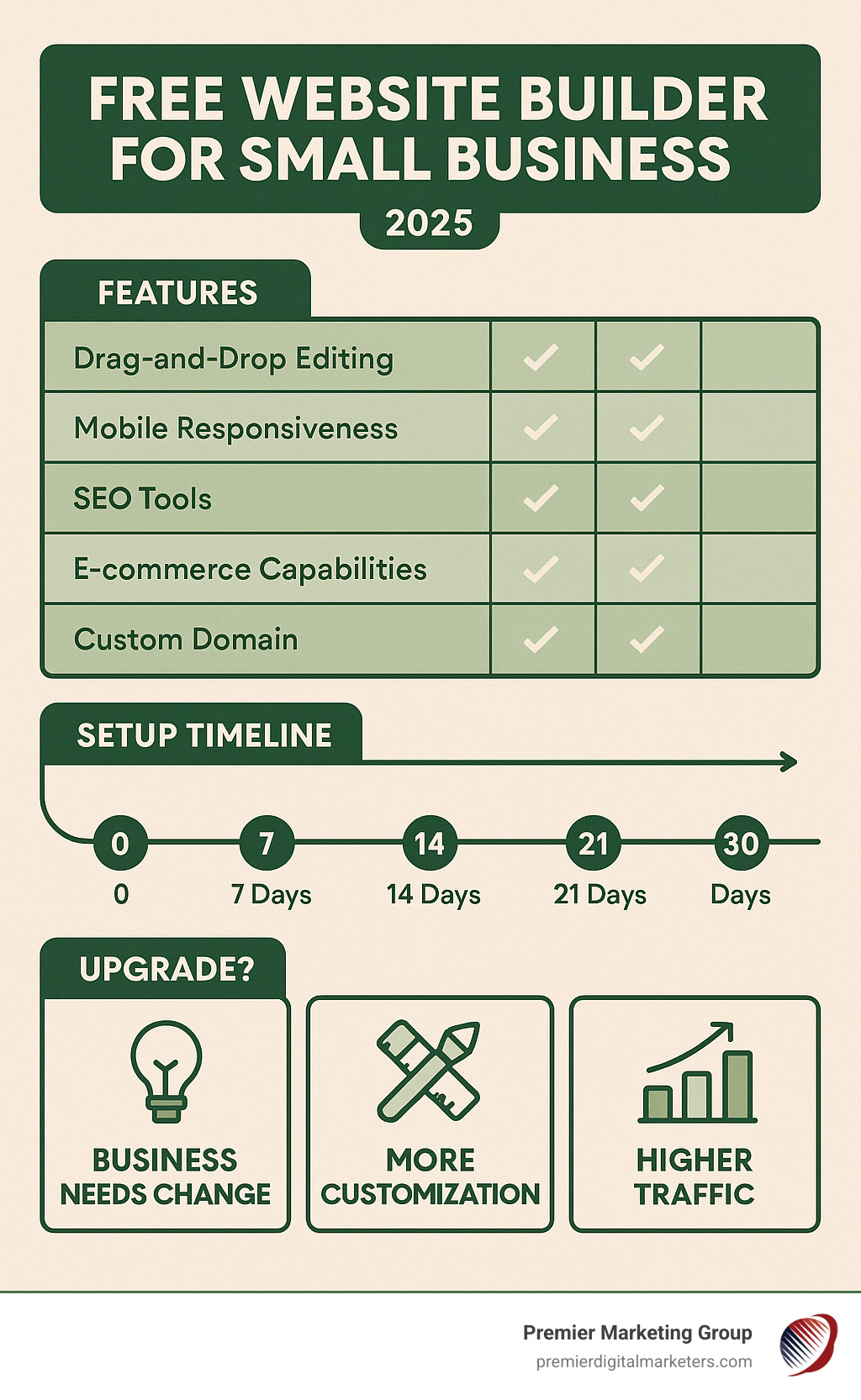
Essential Features in Free Website Builders:
As one small business owner found after struggling for 40 hours with complex platforms: "After more than 40 hours of frustration, I turned to professionals." But the truth is, today's free website builders have eliminated most of that complexity.
You don't need technical skills or a big budget to create a professional website that attracts customers and grows your business. Modern free builders offer drag-and-drop editors, mobile-responsive designs, and built-in SEO tools that were once only available to large companies with dedicated IT teams.
The key is understanding which features matter most for your business goals and choosing the right platform from the start. Some excel at e-commerce, others at lead generation, and a few focus purely on showcasing your work through stunning portfolios.
I'm Rob Gundermann, and I've helped hundreds of small businesses choose and optimize their website platforms over the past 15 years. Whether you're exploring a free website builder for small business or planning your upgrade path, I'll show you exactly how to make the right choice for your specific needs and budget.
Free website builder for small business word roundup:
A free website builder for small business is essentially a simplified software platform that lets you create professional websites without writing code. Think of it as digital building blocks - you drag elements like text, images, and buttons onto a page, arrange them how you want, and publish your site to the internet.
The magic happens through several key technologies working together:
Drag-and-Drop Editors: These visual interfaces let you move elements around your page just like rearranging furniture in a room. You click on a text box, drag it to a new position, and it stays there. No HTML or CSS knowledge required.
Cloud Hosting: Your website files are stored on powerful servers around the world. When someone visits your site, these servers deliver your content instantly. Many platforms provide completely free hosting with no web hosting fees through their global infrastructure.
Templates: Pre-designed layouts give you a professional starting point. Leading builders offer hundreds of free website templates, fully customizable and suited to any business type. You're not starting from a blank page - you're starting from something that already looks great.
Mobile-Responsive Design: Modern builders automatically adjust your site to look perfect on phones, tablets, and computers. This happens behind the scenes using flexible layouts and smart image scaling.
SSL Security & DDoS Protection: Free builders include enterprise-grade security features. Your site gets HTTPS encryption (that little lock icon in browsers) and protection against cyber attacks, all without additional cost.
Autosave & Collaborative Editing: Your work is continuously saved to the cloud. Multiple team members can edit simultaneously, similar to collaborative document editing. You'll never lose hours of work to a computer crash.
You might wonder: "What's the catch?" Free website builders operate on a freemium model - they give you powerful tools for free, then offer premium upgrades as your business grows.
Here's how they make it work:
Platform Branding: Free plans typically include the builder's branding on your site (like "Built with [Platform]" in the footer). This serves as advertising for them while you get a functional website.
Bandwidth Caps: Free plans often limit monthly visitors or data transfer. Many platforms provide generous limits that work well for most small businesses, while others may restrict you to a few thousand monthly visitors.
Upgrade Incentives: As your business grows, you'll want custom domains, more storage, or advanced features. That's when you'll consider their paid plans - it's a natural progression that benefits both you and the platform.
CDN Delivery: Content Delivery Networks store copies of your website on servers worldwide. When someone in California visits your Pennsylvania-based business site, they get the content from a nearby server, making your site load faster.
WYSIWYG vs. Block Editors: "What You See Is What You Get" editors show you exactly how your site will look as you build it. Block editors let you add content in structured blocks - headlines, paragraphs, images - that you can rearrange and style.
Automated Backups: Your site is automatically backed up regularly. If something goes wrong, you can restore a previous version. This happens invisibly, protecting your work without any effort from you.
Many modern site builders rank among the top platforms for accessibility standards, with high input elements coverage that makes it easier for people with disabilities to use your website.
When evaluating a free website builder for small business, focus on features that directly impact your ability to attract and serve customers. Not all free builders are created equal - some excel in specific areas while falling short in others.
Essential Features for Business Success:
Custom Domain Mapping: While you can start with a free subdomain (like yourname.buildersite.com), connecting your own domain (yourname.com) looks more professional. Many builders offer this feature, though some require upgrading to a paid plan.
Basic SEO Toolkit: Your site needs to be found on search engines. Look for builders that include title tags, meta descriptions, heading tags, and image alt text options. Quality platforms are designed to ensure search engine visibility with built-in SEO tools and guidance.
Contact Forms: Essential for lead generation. Forms should be customizable and capable of sending submissions to your email. Advanced builders also integrate with customer relationship management (CRM) systems.
E-commerce Add-ons: Even if you're not selling products now, you might later. Look for builders that support payment buttons, product catalogs, and basic shopping cart functionality. Some platforms offer integrated e-commerce solutions that can handle order management, shipping, and payments.
Appointment Scheduling: Service-based businesses need booking capabilities. Some builders include calendar integration and automated appointment confirmations.
Analytics Integration: Understanding your website traffic helps you make better business decisions. Analytics integration is standard, but some builders offer their own analytics dashboards.
Accessibility Features: Your site should be usable by everyone. Look for builders that automatically generate proper HTML structure and support screen readers.
Uptime Guarantees: Your site needs to be available when customers visit. Quality platforms guarantee 99.99% uptime, even during traffic spikes, through their multi-cloud hosting infrastructure.
Scalability Options: As your business grows, your website needs should evolve. Choose builders that offer clear upgrade paths without forcing you to rebuild from scratch.
| Feature | Free Plan | Paid Plan Upgrade |
|---|---|---|
| Custom Domain | Limited/Subdomain | Full Custom Domain |
| Storage | 500MB - 1GB | 10GB - Unlimited |
| Bandwidth | Limited | Unlimited |
| Ad Removal | Platform Ads Present | Clean, Professional Look |
| E-commerce | Basic/None | Full Store Features |
| SEO Tools | Basic | Advanced Analytics |
| Support | Community/FAQ | Priority Support |
Search engine optimization determines whether potential customers can find your business online. Free builders have significantly improved their SEO capabilities in recent years.
Meta Tags & Descriptions: These HTML elements tell search engines what your pages are about. Modern builders let you customize titles, descriptions, and keywords for each page. Advanced platforms include SEO assistants that integrate with search console tools and professional optimization services.
Alt Text for Images: Every image on your site should have descriptive alt text. This helps search engines understand your content and makes your site accessible to visually impaired users. Most builders now prompt you to add alt text when uploading images.
Sitemaps: These files tell search engines which pages exist on your site. Free builders typically generate sitemaps automatically and submit them to search engines for faster indexing.
Search Console Integration: Search console tools show how your site performs in search results. Advanced builders integrate directly with these tools, making it easy to monitor your SEO progress.
Keyword Planning: While free builders don't typically include keyword research tools, they often provide guidance on where to place important keywords in your content.
Many small businesses need e-commerce functionality, even if it's just accepting payments for services or selling a few products.
Payment Buttons: The simplest option for service businesses. Add a "Pay Now" button that connects to payment processors. Some builders include this feature on free plans, while others require upgrades.
Limited Product Catalogs: Free plans often restrict you to a small number of products (typically 5-10). This works well for businesses testing online sales or selling a few key items.
Transaction Fees Transparency: Understand all costs upfront. Some builders charge transaction fees on top of payment processor fees. Others include payment processing in their paid plans.
Digital Downloads: If you sell digital products like e-books or courses, ensure your chosen builder supports secure file delivery after purchase.
Your website represents your business, so it needs to look professional and trustworthy.
Ad Removal Options: Free plans typically display the builder's advertisements on your site. While this reduces your costs, it can look unprofessional. Most builders offer ad removal as a premium feature.
White-Label Emails: Some builders provide email addresses that match your domain (like info@yourbusiness.com) even on free plans. This looks more professional than using generic email providers for business communications.
Social Media Embeds: Integrate your social media presence by embedding feeds, posts, or timelines. This keeps your site content fresh and encourages social media engagement.
Creating a professional website with a free website builder for small business is more straightforward than you might think. We've guided hundreds of businesses through this process, and the key is having a clear plan before you start building.
Pre-Building Planning Phase:
Define Your Site Goals: Are you primarily generating leads, selling products, or establishing credibility? Your primary goal determines your site structure and content priorities.
Identify Your Audience Persona: Who is your ideal customer? A local restaurant targets nearby residents, while a consulting firm might serve national clients. Understanding your audience shapes your messaging and design choices.
Plan Your Content Hierarchy: Most small business sites need these core pages:
Choose Your Color Palette: Pick 2-3 colors that represent your brand. Many builders offer color palette generators, or you can use tools like Coolors.co to find combinations that work well together.
Gather Your Imagery: Collect high-quality photos of your products, team, or workspace. If you don't have professional photos, many builders include free stock photo libraries.
Plan Your CTAs (Call-to-Actions): Every page should guide visitors toward a specific action - calling you, filling out a form, or making a purchase.
Step 1: Sign Up and Choose Your Platform
Research shows that the setup process can take just a few hours or up to a few days, depending on your preparation. Start by signing up for your chosen free website builder for small business. Most require only an email address and password - no credit card needed.
Step 2: Select Your Template
Browse templates by industry or style. Don't worry about finding the "perfect" template - you can customize everything later. Look for layouts that match your content needs (lots of text, image galleries, product showcases, etc.).
Step 3: Customize Your Pages
Start with your homepage, then work through your other pages systematically. Replace placeholder text with your actual content, swap in your images, and adjust colors to match your brand. Most builders use drag-and-drop editors that make this process intuitive.
Step 4: Connect Your Domain
If you have a custom domain, connect it through your builder's settings. If you don't have one yet, you can purchase one later. Many builders offer free domains for the first year with paid plans.
Step 5: Test Mobile Responsiveness
Preview your site on different devices using your builder's mobile preview feature. Ensure text is readable, buttons are clickable, and images display properly on phones and tablets.
Step 6: Optimize for Search Engines
Add title tags, meta descriptions, and alt text to your images. Most builders include SEO checklists or assistants to guide you through this process.
Step 7: Launch and Promote
Publish your site and start promoting it. Add your website URL to your business cards, email signatures, and social media profiles. Consider setting up Google Analytics to track your visitors.
Many free builders support basic e-commerce functionality, though with limitations:
Inventory Caps: Free plans typically limit you to 5-10 products. This works well for service businesses selling a few digital products or small retailers testing online sales.
Simple Checkout: Basic shopping cart functionality with secure payment processing through PayPal, Stripe, or similar services. Some builders include payment processing in their free plans, while others require upgrades.
Digital Downloads: If you sell e-books, courses, or other digital products, ensure your builder supports secure file delivery after purchase.
Compliance Basics: Even free e-commerce tools typically handle basic tax calculations and secure payment processing, though you're responsible for understanding your local business requirements.
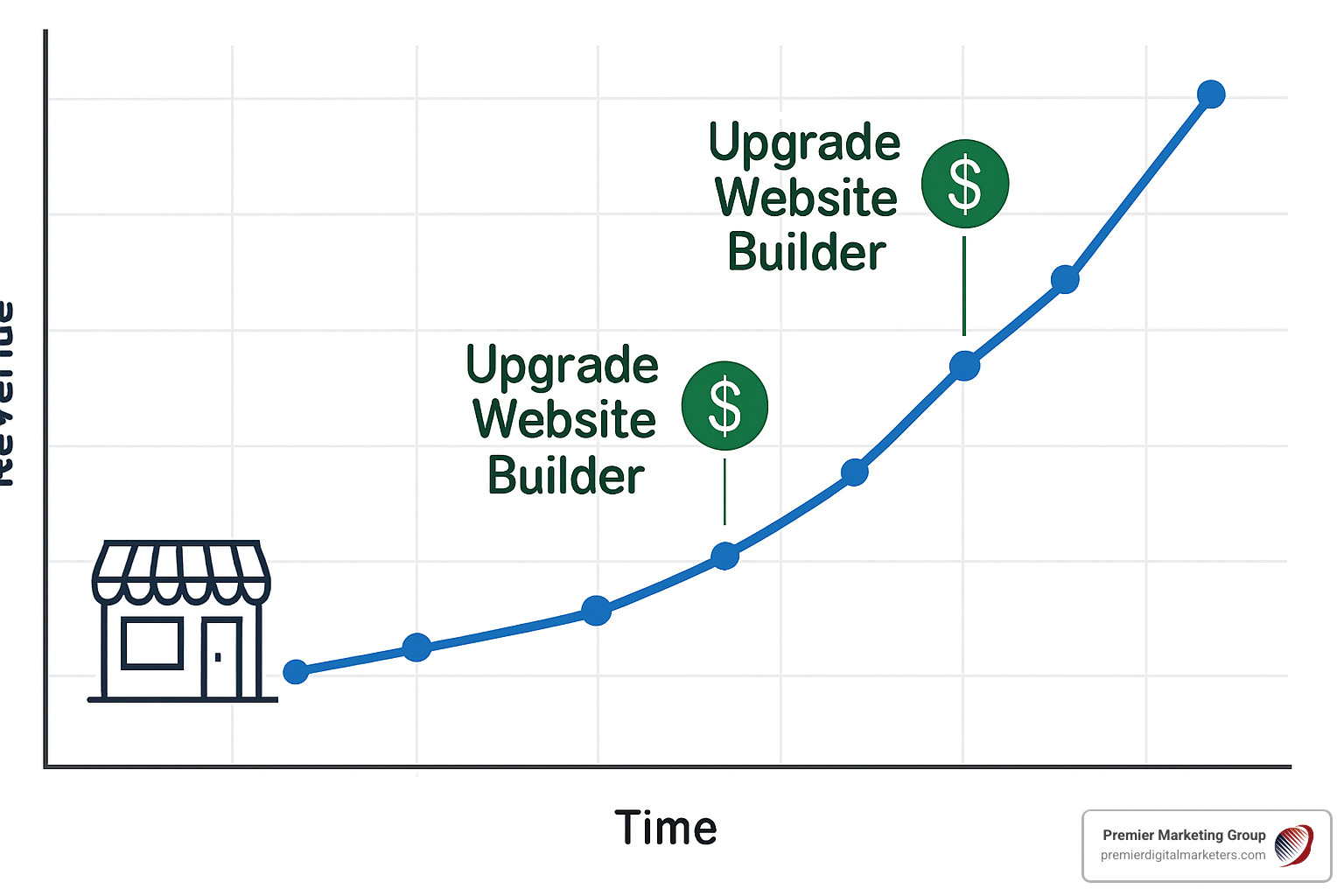
Understanding the trade-offs of free website builders helps you make informed decisions about when to start free and when to upgrade.
Advantages of Free Website Builders:
Cost Savings: The most obvious benefit is zero upfront cost. You can launch a professional-looking website without spending money on design, development, or hosting.
Speed to Market: You can have a functional website live within hours or days, not weeks or months. This is crucial for new businesses that need an online presence quickly.
Learning Curve: Free builders are designed for non-technical users. The drag-and-drop interfaces are intuitive, and most include helpful tutorials and customer support.
No Technical Maintenance: Updates, security patches, and backups happen automatically. You focus on your business content, not technical infrastructure.
Testing Ground: Free plans let you experiment with different designs, content strategies, and features without financial risk.
Disadvantages and Limitations:
Platform Advertisements: Free plans typically display the builder's branding and sometimes third-party ads on your site. This can look unprofessional and distract from your business message.
Storage and Bandwidth Limits: Free plans restrict how much content you can store and how many visitors you can serve monthly. Growing businesses quickly hit these limits.
Limited Customization: While templates are customizable, you're still working within the builder's framework. Custom functionality or unique designs may not be possible.
SEO Limitations: Free plans often restrict advanced SEO features like custom meta tags, schema markup, or detailed analytics that help your site rank better in search results.
No Custom Domain: Many free plans force you to use subdomains (yourname.buildersite.com) instead of your own domain (yourname.com), which looks less professional.
Data Ownership Concerns: Your website content lives on the builder's servers. While you can typically export your content, migrating to a different platform can be complex.
The decision to upgrade from a free website builder for small business to a paid solution depends on specific growth triggers:
Traffic Thresholds: If you're consistently hitting bandwidth limits or your site slows down during busy periods, it's time to upgrade. Most builders offer analytics showing your usage against plan limits.
Revenue Goals: Once your website generates revenue, investing in professional features makes financial sense. The cost of a paid plan is typically much less than the revenue increase from improved conversion rates.
Marketing Automation Needs: Growing businesses need email marketing, lead nurturing, and customer relationship management tools. These features are typically only available on paid plans.
Advanced SEO Requirements: If you're competing in crowded markets, you need advanced SEO tools, custom meta tags, and detailed analytics. Free plans rarely provide these capabilities.
Custom Integration Needs: As your business grows, you'll want to connect your website to accounting software, inventory management systems, or other business tools. This typically requires paid plans.
Branding and Professionalism: If your website is a primary customer touchpoint, removing platform ads and using a custom domain becomes essential for credibility.
Most free website builders offer limited domain options. Here's what you need to know:
Custom DNS Settings: Some builders allow you to connect your own domain even on free plans, though this often requires technical knowledge of DNS settings. You'll need to update your domain's DNS records to point to the builder's servers.
Annual Renewal Fees: Even when domain connection is free, you'll still pay annual domain registration fees (typically $10-20 per year) to your domain registrar.
Subdomain Alternatives: If custom domains aren't available on free plans, you'll use a subdomain like yourname.buildersite.com. While this works functionally, it looks less professional than a custom domain.
Upgrade Requirements: Many builders require upgrading to a paid plan for custom domain support. This is often the primary reason businesses upgrade from free plans.
Modern free website builders provide enterprise-grade security and reliability:
HTTPS Encryption: All reputable builders include SSL certificates, ensuring data transmitted between your site and visitors is encrypted. This appears as the lock icon in browser address bars.
99.9% Uptime Guarantees: Major builders like Wix guarantee 99.99% uptime through multi-cloud hosting infrastructure. This means your site should be available virtually all the time.
Regular Security Patches: Builders handle security updates automatically. You don't need to worry about installing patches or monitoring for vulnerabilities.
DDoS Protection: Enterprise-grade protection against cyber attacks is included, even on free plans. This protects your site from malicious traffic designed to make it unavailable.
Automated Backups: Your site content is backed up regularly, protecting against data loss from technical issues or user errors.
Drag-and-Drop Simplicity: Modern builders are designed for non-technical users. You can create professional sites by dragging elements around the page, similar to arranging items in a document.
Tutorial Libraries: Most builders include extensive help documentation, video tutorials, and step-by-step guides. These resources help you learn as you build.
Live Chat Support: Even free plans often include customer support through chat, email, or phone. Support teams can help with technical questions or guide you through complex tasks.
Community Forums: Active user communities provide peer support and share tips for getting the most from your chosen platform.
Template Starting Points: Professional templates provide a foundation that already looks good. You're customizing existing designs rather than creating from scratch.
A free website builder for small business offers an excellent starting point for establishing your online presence without financial risk. The platforms we've discussed - from Wix's extensive template library to Google Sites' seamless integration with business tools - provide genuine value for small businesses ready to take their first steps online.
The key to success lies in choosing the right platform for your specific needs and understanding when to upgrade as your business grows. Whether you need simple lead generation, basic e-commerce functionality, or a professional portfolio showcase, today's free builders can deliver results that were impossible just a few years ago.
However, as your business evolves, you'll likely find that custom solutions provide advantages that generic builders cannot match. That's where our expertise at Premier Digital Marketers becomes invaluable. We've helped hundreds of businesses transition from free builders to custom websites that truly reflect their brand and drive measurable results.
Our personalized approach means we take time to understand your unique business goals, target audience, and growth plans. Rather than forcing you into a one-size-fits-all solution, we create websites that work specifically for your industry and market position.
If you're ready to explore how a custom website can accelerate your business growth beyond what free builders can offer, we'd love to discuss your specific needs. Our team serves clients throughout Central Pennsylvania and beyond, bringing the same attention to detail and personalized service that has made us a trusted partner for businesses across various industries.
Ready to take the next step? Learn more about our Custom Websites for Small Businesses and find how we can help you build a website that truly works for your business goals.